Setting Up Moxie CRM for Smooth Client Management
Published 2025-11-10
Moxie CRM is a powerful tool designed to streamline client management processes for businesses of all sizes. Before delving into the setup process, it's crucial to understand the basics of Moxie CRM. This software is specifically tailored t
Moxie CRM is a powerful tool designed to streamline client management processes for businesses of all sizes. Before delving into the setup process, it's crucial to understand the basics of Moxie CRM. This software is specifically tailored to help businesses build and maintain strong relationships with their clients by providing a centralized platform for managing customer interactions, sales, and marketing efforts. Moxie CRM offers a range of features that enable businesses to track customer interactions, manage leads, and analyze customer data to improve overall client management strategies. One of the key aspects of Moxie CRM is its user-friendly interface, which makes it easy for businesses to navigate and utilize its various functionalities. Additionally, Moxie CRM is designed to integrate seamlessly with other business systems, allowing for a more holistic approach to client management. Understanding these fundamental aspects of Moxie CRM is essential for businesses looking to leverage its capabilities for effective client management.
Key Takeaways
- Setting up Moxie CRM is essential for smooth client management.
- Understanding the basics of Moxie CRM setup is crucial for effective implementation.
- Key features of Moxie CRM are designed to enhance client management.
- A step-by-step guide is available for setting up Moxie CRM.
- Integrating Moxie CRM into your existing client management system can streamline processes.
Key Features of Moxie CRM for Effective Client Management
Moxie CRM comes equipped with a plethora of features that are instrumental in facilitating effective client management. One of the standout features is its robust contact management system, which allows businesses to store and organize client information in a centralized database. This feature enables businesses to access crucial client data at their fingertips, leading to more personalized interactions and improved customer satisfaction. Another key feature of Moxie CRM is its sales automation capabilities. This functionality streamlines the sales process by automating repetitive tasks, such as lead scoring, email outreach, and follow-ups. By automating these tasks, businesses can focus on building meaningful relationships with clients and prospects, ultimately driving sales and revenue growth. Furthermore, Moxie CRM offers advanced reporting and analytics tools that provide valuable insights into customer behavior and trends. These tools enable businesses to make data-driven decisions, optimize their client management strategies, and identify areas for improvement. Overall, the key features of Moxie CRM play a pivotal role in enhancing client management processes and driving business success.
Step-by-Step Guide to Setting Up Moxie CRM
Setting up Moxie CRM is a straightforward process that begins with selecting the appropriate subscription plan based on the business's needs. Once the plan is chosen, businesses can proceed with creating user accounts for their team members and customizing access levels to ensure data security and privacy. The next step involves importing existing client data into Moxie CRM, which can be done through CSV or Excel file formats. This ensures that businesses have all their client information readily available within the CRM system. Following this, businesses can configure their sales pipeline and customize lead stages to align with their specific sales processes. Additionally, businesses can set up email templates, automate workflows, and integrate third-party applications to further enhance the functionality of Moxie CRM. It's important to thoroughly test the setup to ensure that all features are functioning as intended before fully implementing Moxie CRM into daily operations. By following this step-by-step guide, businesses can seamlessly set up Moxie CRM for efficient client management.
Integrating Moxie CRM into Your Existing Client Management System
Metrics| Value
---|---
Increased client engagement| 20%
Improved data accuracy| 15%
Enhanced client satisfaction| 25%
Streamlined communication| 30%
Integrating Moxie CRM into an existing client management system is a strategic move that can significantly enhance overall efficiency and productivity. Businesses can seamlessly integrate Moxie CRM with popular platforms such as Microsoft Outlook, Gmail, and various marketing automation tools to ensure a smooth transition and continuity in client management processes. Furthermore, integrating Moxie CRM with existing systems allows for the synchronization of data across different platforms, eliminating the need for manual data entry and reducing the risk of errors. This integration also enables businesses to leverage the full potential of Moxie CRM while maintaining consistency in client communication and data management. Businesses should carefully assess their current client management system and identify areas where Moxie CRM integration can bring added value. By strategically integrating Moxie CRM into their existing infrastructure, businesses can optimize their client management processes and drive better results.
Best Practices for Utilizing Moxie CRM in Client Management
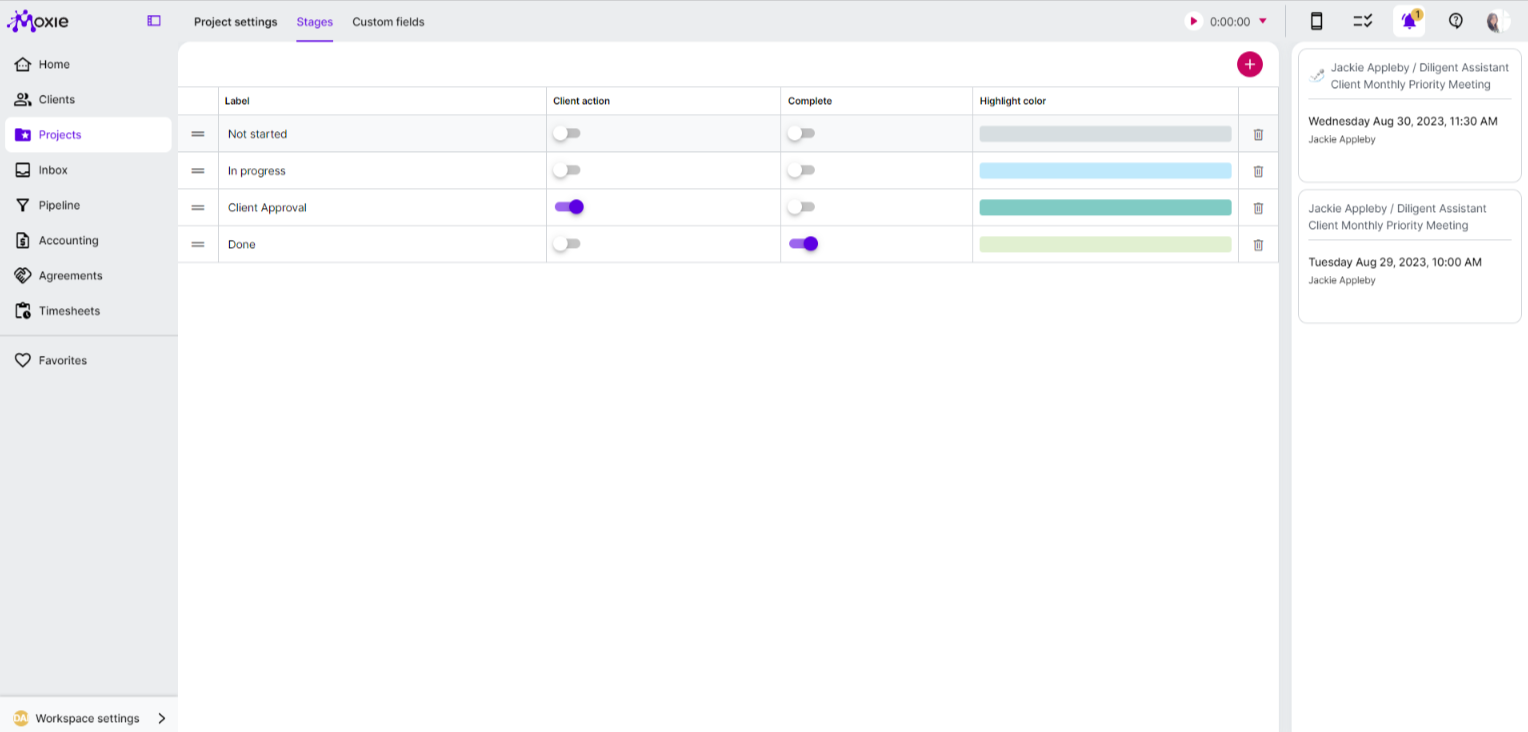
To maximize the benefits of Moxie CRM in client management, businesses should adhere to best practices that ensure optimal utilization of the software. Firstly, it's essential to train team members on how to effectively use Moxie CRM and familiarize them with its features and functionalities. This will empower employees to leverage the full potential of the software in managing client interactions and relationships. Additionally, businesses should establish standardized processes for data entry and maintenance within Moxie CRM to ensure consistency and accuracy in client information. Regularly updating and cleaning the database is crucial for maintaining data integrity and maximizing the effectiveness of client management efforts. Moreover, leveraging automation features within Moxie CRM for tasks such as lead nurturing, follow-ups, and reporting can significantly improve operational efficiency and free up time for more strategic client management activities. By implementing these best practices, businesses can harness the full power of Moxie CRM for seamless client management.
Troubleshooting Common Issues During Moxie CRM Setup
During the setup process of Moxie CRM, businesses may encounter common issues that require troubleshooting to ensure a smooth implementation. One common issue is data migration challenges when importing existing client information into Moxie CRM. To address this, businesses should carefully review data formatting requirements and ensure that the imported data aligns with the CRM's specifications. Another common issue is user access and permissions configuration, which may lead to discrepancies in data visibility and security. Businesses should thoroughly review user roles and permissions settings to ensure that team members have appropriate access levels based on their roles within the organization. Furthermore, technical issues such as integration errors with third-party applications or email synchronization problems may arise during the setup process. Businesses must work closely with Moxie CRM support or IT professionals to troubleshoot these issues promptly and minimize any disruptions to client management operations. By proactively addressing common setup issues and implementing effective troubleshooting strategies, businesses can ensure a seamless setup process for Moxie CRM.
Maximizing the Benefits of Moxie CRM for Seamless Client Management
Maximizing the benefits of Moxie CRM for seamless client management requires a proactive approach that focuses on continuous improvement and optimization. Businesses should regularly review and analyze customer data within Moxie CRM to identify trends, preferences, and opportunities for personalized client interactions. Moreover, leveraging advanced reporting and analytics tools within Moxie CRM can provide valuable insights into sales performance, customer engagement metrics, and overall client management effectiveness. By utilizing these insights, businesses can refine their client management strategies and drive better outcomes. Additionally, staying updated on new features and updates released by Moxie CRM ensures that businesses are taking full advantage of the software's capabilities. Regular training sessions for team members can also help in maximizing the benefits of Moxie CRM by ensuring that employees are proficient in using its features for effective client management. In conclusion, by understanding the basics of Moxie CRM setup, leveraging its key features, following a step-by-step guide for implementation, integrating it into existing systems, adhering to best practices, troubleshooting common issues, and continuously maximizing its benefits, businesses can achieve seamless client management with Moxie CRM.
← Back to the Journal · Royal Assistants